


Edit Content

Reduce Work, Risk, and Variability with Automated OS Patching

ไทย

SCB TechX OS Patching1 EN

OS patching is a critical task, especially for Operations teams. It is one of the key ways to fix vulnerabilities and reduce security risks on servers. However, as the number and variety of servers continue to grow, manual patching becomes increasingly difficult to manage. In this article, we invited Khun Toey, a Platform Services Engineer, to share a practical approach to Automated OS Patching that helps solve real operational challenges and makes daily work much easier.OS patching is a critical task, especially for Operations teams. It is one of the key ways to fix vulnerabilities and reduce security risks on servers. However, as the number and variety of servers continue to grow, manual patching becomes increasingly difficult to manage. In this article, we invited Khun Toey, a Platform Services Engineer, to share a practical approach to Automated OS Patching that helps solve real operational challenges and makes daily work much easier.

Patch Group and Baseline ID

SCB TechX OS Patching 3

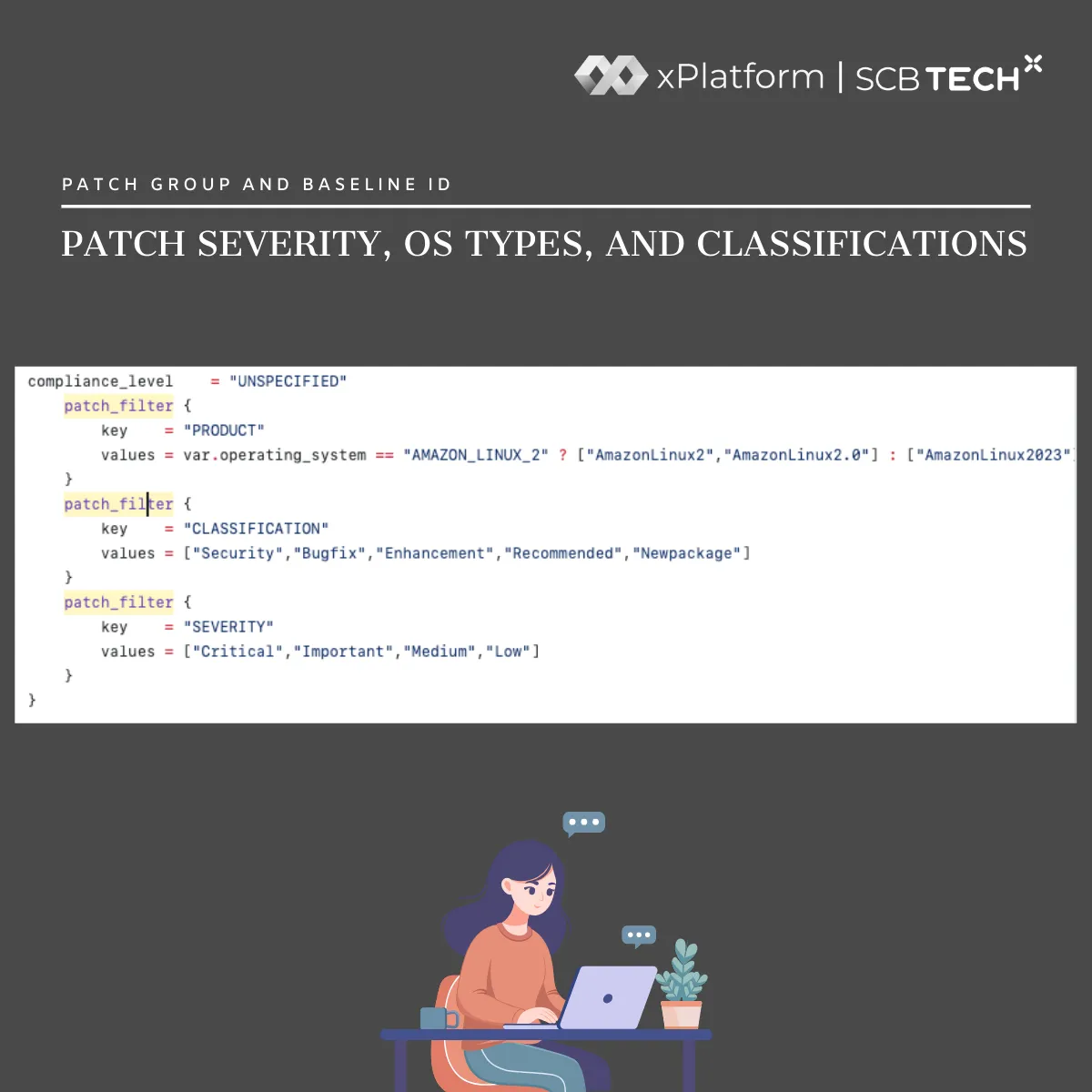
Patch Group and Baseline ID are used to define three key aspects of OS patching:
• Operating System
• Patch Classification
• Severity Level

SCB TechX OS Patching 4

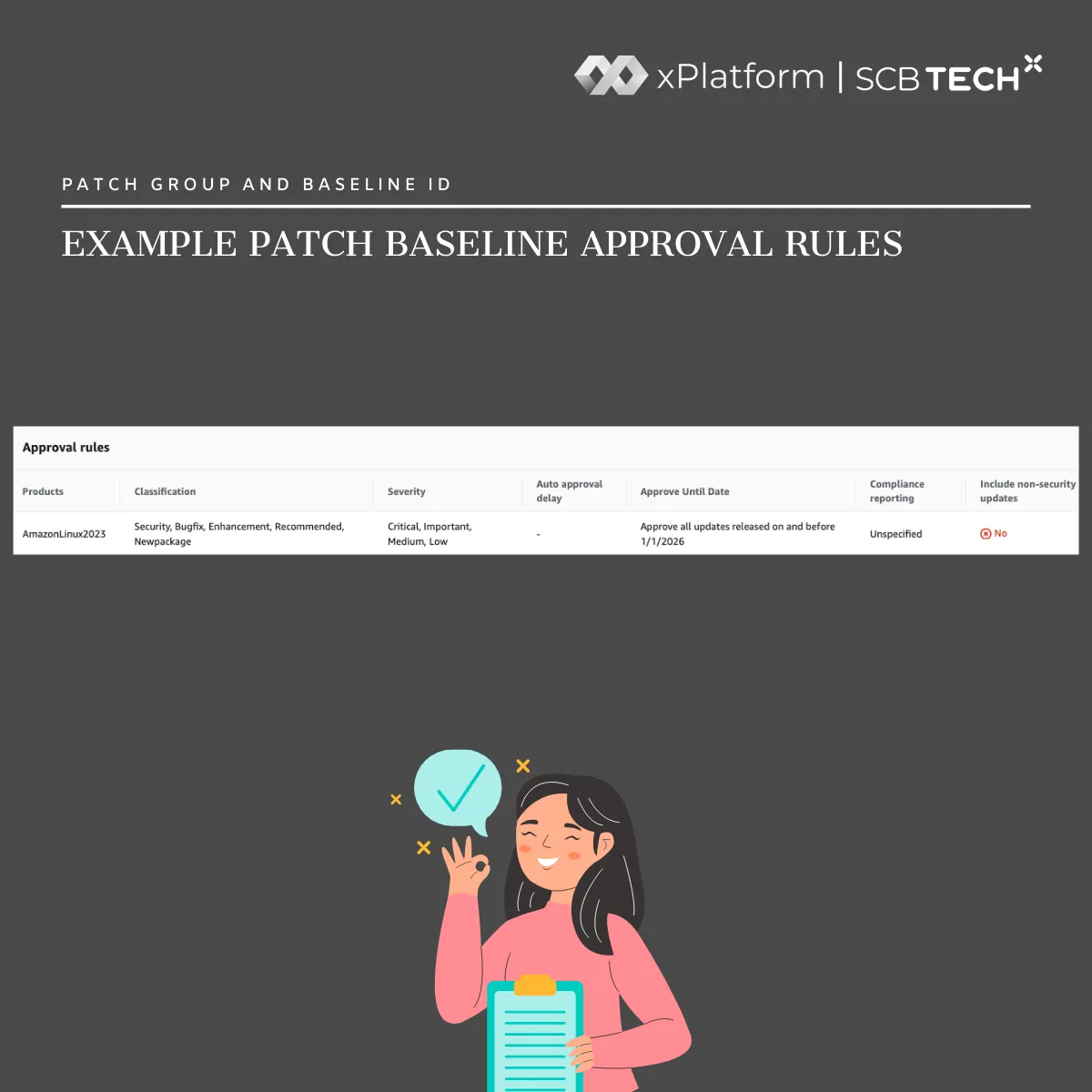
These configurations help control exactly which patches are applied to which servers.

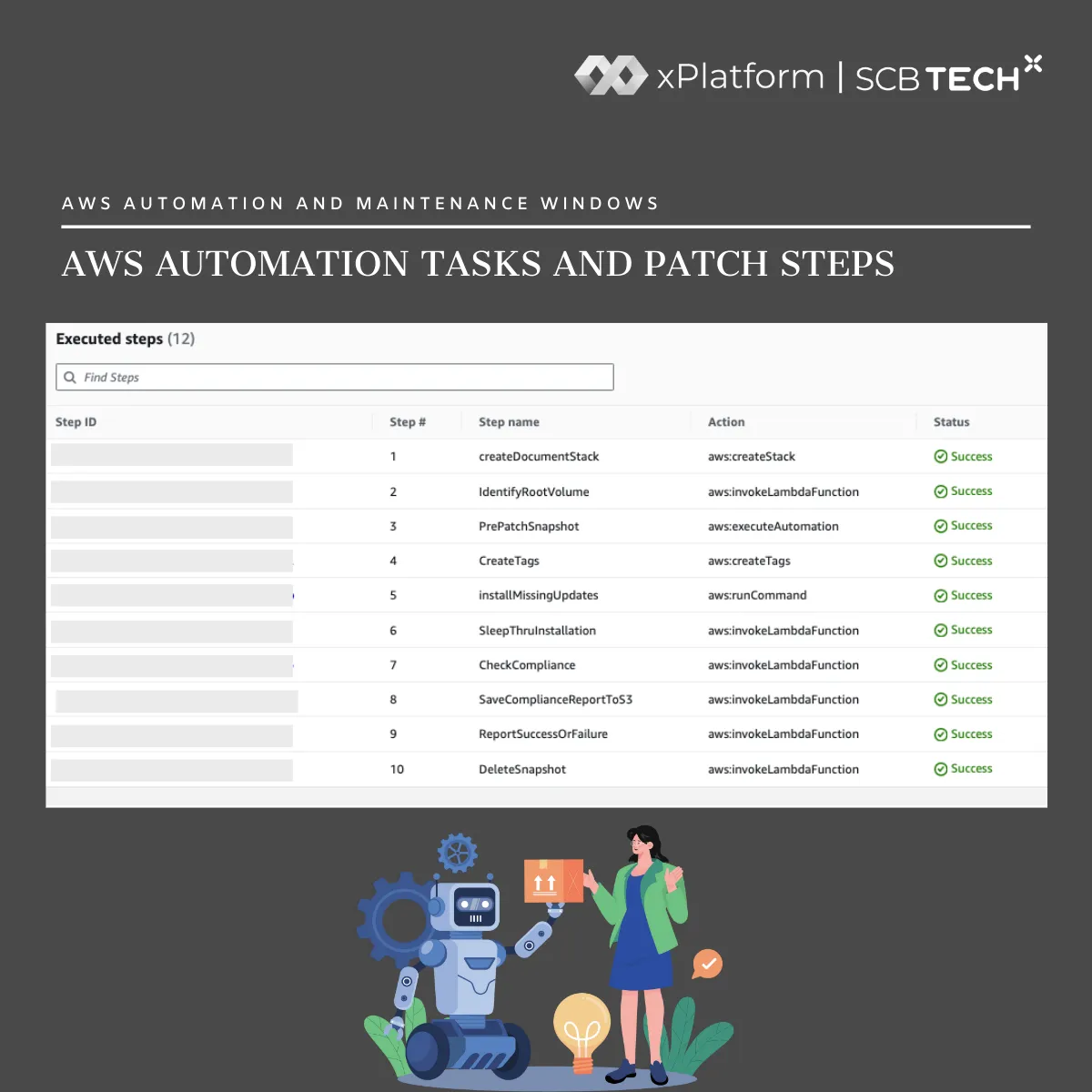
AWS Automation and Maintenance Windows

SCB TechX OS Patching 5

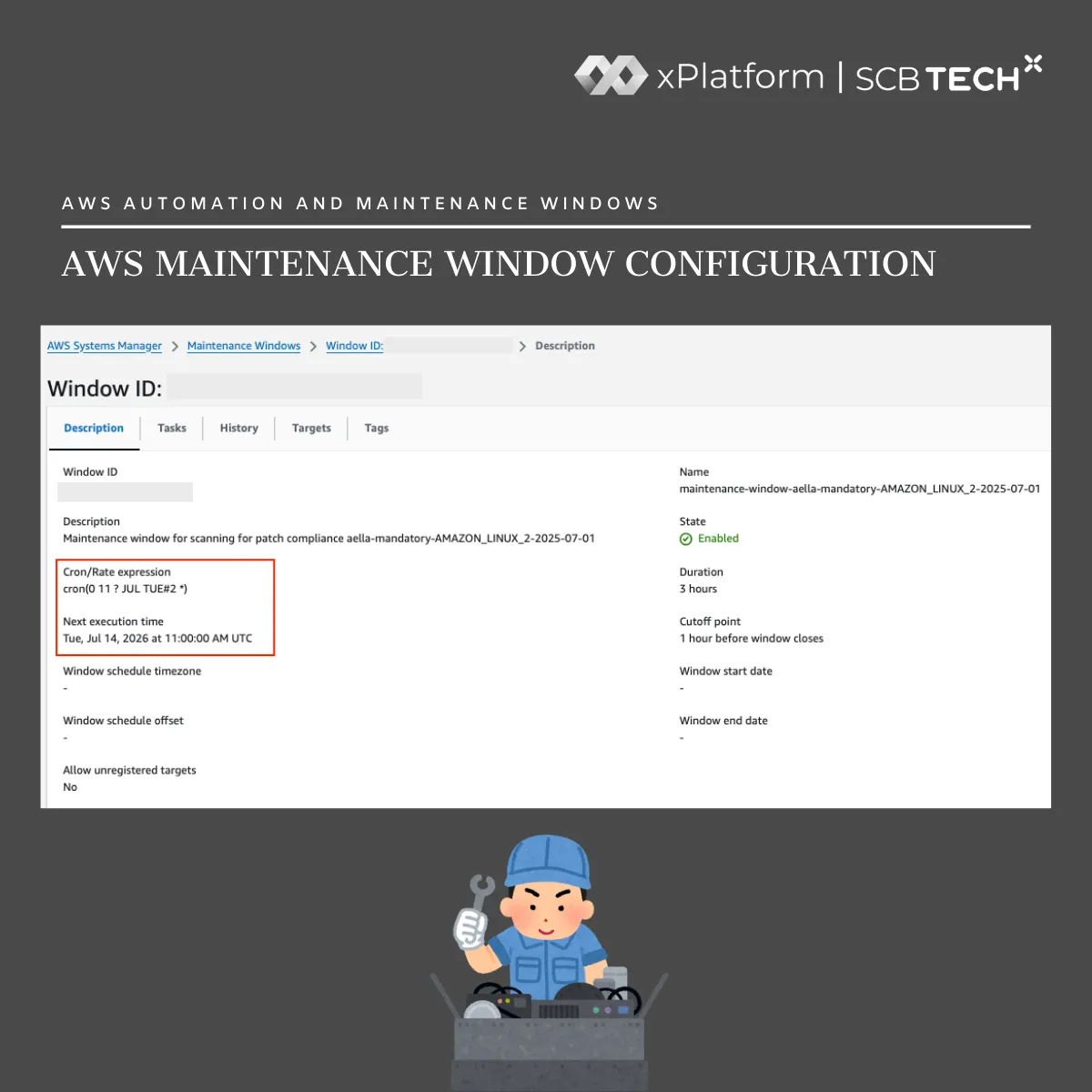
To enable AWS Automation, AWS Maintenance Windows must be configured. Patch Groups are assigned as tags and used to filter target instances. Additional settings are defined for each patching run, such as:
• Schedule (Cron)
• Tasks
• Targets
• Duration

SCB TechX OS Patching 6

Once the Maintenance Window is set up, AWS Automation performs patching using the AWS-RunPatchBaseline task. This task applies patches based on the predefined Baseline ID and Patch Group.

End-to-End Automated Patching Flow

Below is a practical automated patching workflow:
• Create a Patch Baseline ID: Define patch approval rules
• Create a Patch Group: Use tags to group target instances and associate them with a Baseline ID
• Create a Maintenance Window: Define the patch schedule (e.g., every Wednesday at 02:00)
• Define Targets: Specify which Patch Group the Maintenance Window applies to
• Configure the Task: Set the task to use AWS-RunPatchBaseline
• Automation Run: When the scheduled time arrives, the Maintenance Window triggers the task, which selects and installs patches based on the assigned Baseline ID and Patch Group

Benefits of Automated OS Patching

Automated OS patching provides several advantages and can be extended in many ways:
• Reduces manual effort by automating the entire process using predefined Baselines, Patch Groups, and schedules
• Improves security by ensuring servers are patched according to policy, such as installing only critical updates or excluding patches that have not yet passed QA testing
• Ensures consistency and standardization so all servers within the same Patch Group receive the same updates
• Simplifies auditing and troubleshooting with repeatable workflows and detailed execution logs
• Minimizes unexpected downtime by running patching at clearly defined times
• Supports environment-based patching, such as patching Dev environments during business hours while restricting Prod updates to off-peak hours
• Integrates with notification systems like SNS, Slack, or Email to provide immediate patch results
• Works with additional automation, such as automatic reboot, post-patch health checks, or rollback when issues are detected
• Integrates with Jira workflows to retain verification evidence, such as service or application health checks

Conclusion

Automated OS patching is not just about installing patches automatically. It strengthens system security, enforces operational standards, improves reliability, and enables deeper integration with overall Operations workflows. By adopting automation, teams can reduce risk while making their day-to-day work significantly more efficient.

Looking for a DevOps solution that automates your workflow and reduces business costs? SCB TechX helps you modernize your delivery pipeline and bring high-quality products to market faster, building a foundation for long-term growth.
For service inquiries, please contact us at https://bit.ly/4etA8Ym
Learn more: https://bit.ly/3H7W9zm

SCB TechX OS Patching 7

Related Content

  • ทั้งหมด
  • Blogs
  • Insights
  • News
  • Uncategorized
  • Jobs
    •   Back
    • DevOps
    • xPlatform
    • User experience
    • Technology
    • Strategy
    • Product
    • Lifestyle
    • Data science
    • Careers
    •   Back
    • Partnership
    • Services & Products
    • Others
    • Events
    • PointX Products
    • Joint ventures
    • Leadership
    •   Back
    • Tech innovation
    • Finance
    • Blockchain

Your consent required

If you want to message us, please give your consent to SCB TechX to collect, use, and/or disclose your personal data.

| The withdrawal of consent

If you want to withdraw your consent to the collection, use, and/or disclosure of your personal data, please send us your request.

Vector

Message sent

We have receive your message and We will get back to you shortly.